
CondoSecure TowerWatch
Contact CondoSecure
Draft wording: waiting for Jeff's sign-off before this page goes live.
CondoSecure TowerWatch is the security-desk software platform for CondoSecure buildings. It brings in-suite keypad alarms, fob access events and TideWatch by CondoSecure water alerts together on one display for the concierge or security desk.
Example CondoSecure TowerWatch desk display: a grid of suite numbers with one suite flagged for a water alarm
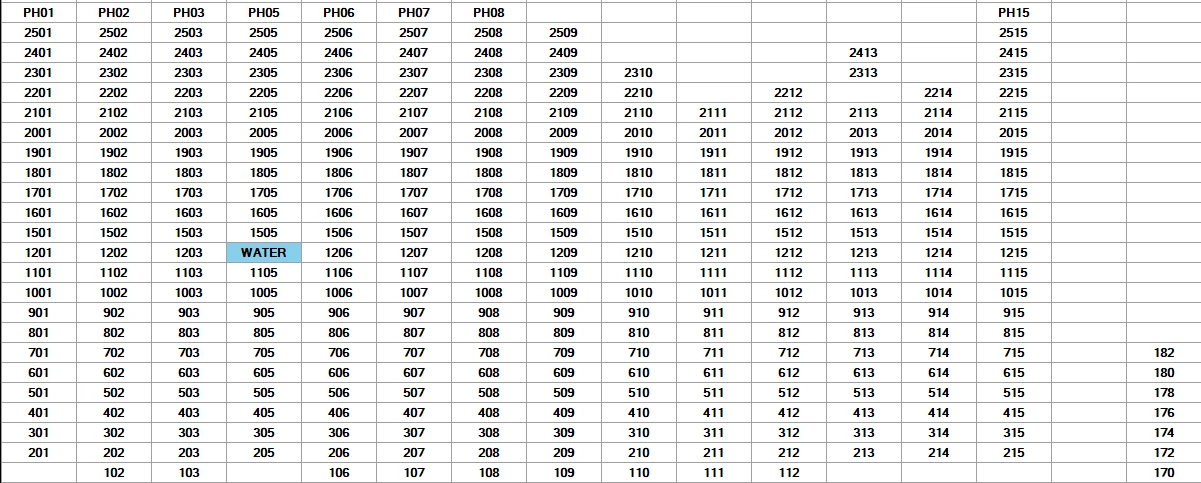
Single-glance, colour-coded
CondoSecure has designed its security software to be "single-glance and respond", reducing the time needed to identify an alarm or trouble condition. Alarm location and type are presented clearly and colour coded. Click a suite to see owner information and notes for that suite, and review recorded activity later.
Water detection at the desk
- One colour-coded grid of every suite: blue for a water alarm; violet for a low sensor battery or a missed check-in.
- Receiver power loss: a CSRCV80 Tower System receiver that loses power is reported at the desk.
- Click a suite to see its water sensors: location, wet or dry, battery, check-in status, enabled or disabled.
- Instant desk alert when a sensor reports water, with the suite and sensor location, and a restore when it dries.
- Time-stamped history log of alarms and restores.
- Register sensors and assign them to suites and locations.
For the whole desk team
- Multiple desk stations on the network.
- User roles: view-only, guard, technician, and admin.
Water alerts come from the TideWatch by CondoSecure Tower System. Keypad alarms come from in-suite keypads, and fob events from access control.